
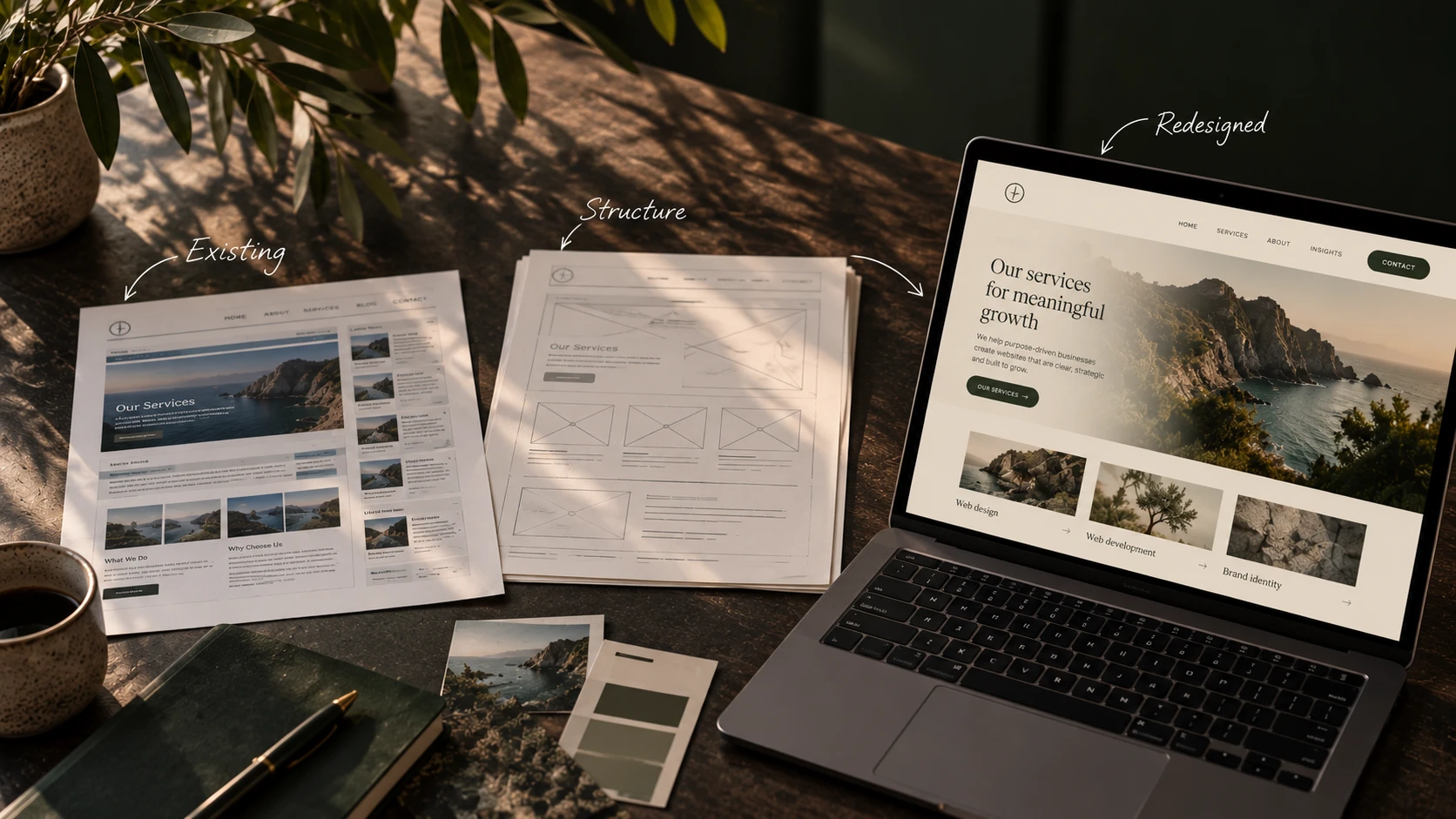
Most websites are not redesigned because something broke. They are redesigned because someone in the company grew tired of looking at them, which is a perfectly human reason and a poor brief. A website redesign that starts from what visitors struggle with ends up somewhere very different from one that starts from a new colour palette. This guide covers how to choose between the two, run a redesign and keep your traffic.
Website redesign or refresh: what is the difference?
A website redesign changes how a site is structured and how it works, from the navigation and the page types to the content and often the platform underneath. A refresh keeps that structure and updates the surface, such as colours, typography, images and copy. A rebuild keeps the plan and replaces the technology. Each solves a different problem, and choosing the wrong one wastes the budget on the wrong thing.
The distinction matters because the three are often confused in a first conversation. A business asks for "a new website" when the real issue is a slow checkout, or asks for "a quick refresh" when visitors cannot find the services page at all. The table below sets out what each option changes and when it is the right call.
| Option | What it changes | Right when |
|---|---|---|
| Refresh | Colours, typography, images, some copy | The structure works, but the site looks dated or off-brand |
| Redesign | Navigation, page types, content, user journeys, often the design system | Visitors struggle, or the site no longer matches what the business does |
| Rebuild or replatform | The technology underneath, sometimes with a redesign on top | The platform blocks speed, security, editing or integrations |
In practice the options combine. A rebuild without a redesign is common when the plan still works but the platform has become a burden, as when a store moves from one e-commerce system to another and keeps its structure. A redesign without a rebuild is common when the platform is sound and the content has outgrown its pages.
The research supports starting small. Nielsen Norman Group advises making incremental changes by default and resorting to a complete redesign only when the data calls for it, because large changes are more likely to break something users rely on. So the honest first question is not "how should the new site look?" but "what exactly is not working, and can a smaller change fix it?"
When is it time to redesign your website?
It is time to redesign when the site's structure, not its appearance, stands between visitors and what they came for. Typical signs are tasks people cannot complete, a site that no longer reflects what the business offers, a platform that blocks needed changes, and small improvements that no longer move the numbers.
Each sign is easiest to judge with evidence in hand. Look for these:
- Visitors cannot complete key tasks. People search the site for something that exists, leave from the pages that should convert, or call to ask what the site should have told them. For a restaurant, those tasks are checking the menu and booking a table, as our guide to restaurant website design explains.
- The business has moved on. New services, a new market or a second language have been bolted onto a structure designed for something else, and the navigation shows it.
- The platform is in the way. Editing a page needs a developer, the site is slow on a phone, or an integration the business now depends on is not possible.
- Small fixes have stopped working. Changing a button or a headline used to improve enquiries, and now nothing moves. Nielsen Norman Group names this point of diminishing returns as one of the situations that justify a major overhaul.
- The site is far behind the alternatives. When visitors compare you with competitors in the same session, a confusing or outdated experience costs you before the conversation starts.
An old design on its own is rarely enough reason. A site from a few years ago that loads fast, ranks well and converts steadily is usually better served by a refresh, and the money saved can go into content that brings in new visitors.
How to redesign a website, step by step
A website redesign runs in six steps. Audit what exists, set goals you can measure, plan the structure and content, design and test with real users, build and check before launch, and keep watching after go-live. The order matters, because each step depends on what the previous one found.
- 1 Audit what exists. Start with analytics, Search Console and a crawl of every page. Note which pages bring in visitors, which pages convert, which pages other sites link to, and where visitors leave. Add a few sessions of watching real users try real tasks, because data shows where people struggle and observation shows why.
- 2 Set goals you can measure. Turn the audit into a short list of outcomes, such as more completed enquiries, fewer support calls about the same question, or faster pages on a phone. Record today's figures, so the new site can be compared with the old one rather than with a feeling.
- 3 Plan the structure and content. Decide which pages stay, merge or go, and draw the new navigation from what visitors look for, not from the organisation chart. This is also the moment to plan the content, because a design built around placeholder text tends to break when the real text arrives.
- 4 Design and test with real users. Design the key templates first (home, a service or product page, an article, the contact or checkout flow), then test clickable prototypes with people who match your visitors. Changing a prototype is cheap, while changing a built page is not.
- 5 Build and check before launch. Build the templates, move the content, and set up the redirects. Then check every form, payment method and integration on real data, test on real phones, and measure speed and accessibility before the switch.
- 6 Watch after go-live. In the first weeks, follow Search Console for crawl errors, compare the goals from step 2 with the old figures, and fix what the launch reveals. A redesign is finished when the numbers settle, not on launch day.
This is also how we approach a redesign in our UI/UX design work. The research and the testing take a good share of the time, because they are what make the result better and not just newer. When the platform has to change as well, the build follows our web development process.
How to redesign a website without losing SEO
A redesign keeps its search visibility when every old address that matters is mapped to its closest new page with a permanent redirect, and when the content that ranked is moved rather than rewritten from scratch. Google's own guidance on site moves describes exactly this, and expects rankings to settle after a short period of movement.
Most traffic losses after a redesign have one cause. Pages that ranked were removed, renamed or merged without a redirect, so the visitors and the links pointing at them landed on an error page. Google's guidance on site moves with URL changes sets out the remedy:
- Map old to new before launch. List every old URL that brings in visitors or links, and give each one its closest new equivalent. Sending everything to the homepage is the mistake Google warns against.
- Use permanent redirects. A 301 or 308 redirect tells search engines that the page has moved for good, so its standing moves with it.
- Keep the redirects. Google advises keeping them for as long as possible, and generally at least a year.
- Expect some movement. Rankings can fluctuate while Google processes the move, and settle as it does.
The content deserves the same care as the addresses. A page that ranks well usually ranks because it answers a question clearly, and a redesign that trims it to a slogan and a picture throws that away. Keep what works, improve what is weak, and only remove pages that nobody visits and nothing links to. We describe the full method, from the inventory to the redirect list, in our article on moving a store from Lightspeed to Shopify, and it applies to any redesign that changes addresses.
Speed and accessibility in a website redesign
A redesign is the cheapest moment to make a site fast and accessible, because every template is being rebuilt anyway. Google's Core Web Vitals give clear targets for speed, and the WCAG 2.2 guidelines set out what accessibility means in practice. For webshops in the EU, accessibility has also become a legal requirement.
On speed, web.dev defines three measures and their thresholds. The largest element on the page should appear within 2.5 seconds, the page should respond to input within 200 milliseconds, and the layout should not shift unexpectedly as it loads. The heaviest causes are usually large images, too many scripts and fonts loaded before the content, and all three are easier to fix in a new template than in an old one.
On accessibility, the WCAG 2.2 guidelines from the W3C describe what makes a site usable for people with disabilities, from text contrast and keyboard navigation to clear labels on forms. Since 28 June 2025, the European Accessibility Act has applied these principles in law to online shops and other services placed on the market in the EU, as the EU's Your Europe guidance explains. Very small service businesses (fewer than 10 employees, with a small turnover) are exempt, but for most webshops a redesign is the natural moment to meet the requirements.
What drives the cost of a website redesign
The cost of a website redesign is decided by its scope, not by the visual design. The number of page types and templates, the amount of content to rewrite or move, the integrations with other systems, and the research and testing involved set the size of the project. A clear scope is what makes an estimate reliable.
We deliberately quote no amounts here, because two redesigns that look alike from the outside can differ several times over in the work behind them. These are the factors that decide it:
- Templates, not pages. A site with 200 pages built from six templates is often less work than a site with 30 pages that each need their own layout.
- Content. Moving existing text is quick. Rewriting it, merging pages and writing new ones is often the largest part of the work, and the part most often underestimated.
- Integrations. Payment providers, booking systems, accounting packages and ERPs each need to work again on the new site, and each adds testing.
- Research and testing. User research and prototype tests add work early on, and save rework later.
- Languages and markets. Every extra language multiplies the content and the checks, and the redirects.
- Decision-making. The number of people who need to agree on each step affects the cost more than most teams expect.
When you ask for a quote, a short brief that covers these points gives a far more useful answer than a request for "a new website". The same thinking applies to content, which we explain in our article on when a business blog is worth writing.
How long a website redesign takes, and why
How long a website redesign takes depends on the same factors as its cost, plus one more, which is how quickly decisions and content arrive. The design work itself is rarely the slowest part. Waiting for approved text, images and answers usually is.
The phases run in a fixed order, and each one needs the output of the one before it. The audit has to finish before goals can be set, the structure has to be agreed before templates are designed, and real content has to exist before the build can be checked. A timeline is therefore planned per phase once the audit has shown the scope, rather than promised at the start.
Three things reliably shorten a redesign. Gather the content early, ideally while the design is still in progress. Give one person the authority to decide, so approvals do not wait for a meeting. And keep the scope fixed once it is agreed, moving new ideas into a list for after launch.
Can AI redesign your website?
AI tools can generate layouts, suggest copy and speed up parts of a redesign, but they cannot decide what your site should do. That still takes knowledge of your visitors, your business and your data. Used well, AI makes a redesign faster. Used alone, it makes a generic site faster.
Where AI helps most is in the heavy, repetitive parts of the work, such as analysing an audit of hundreds of pages, grouping search queries, drafting alternatives for a heading, or producing first layout options to react to. Where it falls short is in the decisions that make a redesign worth doing, such as which pages to merge, what to say first, and how a visitor from your market actually thinks. An AI-generated layout also arrives without your content, your integrations and your redirects, which are the parts that decide whether the new site performs.
So the useful question is not whether AI can redesign a website, but which parts of the work it should take on. In our own projects, our AI tooling handles analysis and first drafts, and a specialist makes every decision.
Website redesign mistakes that cost traffic
The most expensive redesign mistakes are made before launch and noticed after it. Missing redirects, removed content that ranked, a design approved on placeholder text, and a launch without measurement account for most redesigns that lose traffic or enquiries.
- No redirect map. Old addresses lead to error pages, and the search visibility built over years disappears in a week.
- Content cut for the design. Pages that answered questions in detail are reduced to a headline and an image, and stop ranking.
- Designed on placeholder text. The layout works with three short lines and breaks with the real paragraph.
- No baseline. Without today's figures, nobody can tell whether the new site performs better, so the debate turns to taste.
- Launching everything at once with no checks. Forms, payments and tracking are tested on test data only, and the first real order reveals the problem.
Each of these is avoided by the steps above, which is why the audit and the checks deserve their time even when the design is the most visible part of the work.
Frequently asked questions
There is no fixed cycle. Redesign when the evidence says the structure is failing, and make smaller improvements in between. A site that loads fast, ranks and converts can often go years with refreshes and content updates instead of a full redesign.
It can, in both directions. A redesign that removes ranking content or skips redirects loses search traffic, while one that maps every old address to its new page with a permanent redirect, keeps the content that ranks and improves speed usually holds or improves its position after a short period of movement.
That depends on the scope rather than the design. The number of templates, the content to rewrite or move, the integrations, the research and testing, and the number of languages decide it, so a reliable estimate follows an audit and a clear brief.
That depends on the scope and on how quickly content and decisions arrive. The phases run in order (audit, structure, design, build, launch), so the timeline is planned per phase once the audit has made the scope clear.
A refresh often can be done in-house, especially on a platform with a good editor. A full redesign involves research, structure, redirects and testing, and the risk to your search traffic makes experienced help worth considering for that part, even when your team does the content.
If the platform works and the structure is the problem, a redesign on the same platform is usually enough. If the platform itself blocks speed, editing or integrations, a rebuild is the better route, and it often includes a redesign at the same time.
An audit of what exists. Analytics, Search Console, a crawl of every page and a few sessions of watching real users show what to keep, what to fix and what to remove, before any design work starts.